Excel vs. Sakura Chart: Which Should You Use?
This page compares the two tools from the perspective of creating charts from tabular data.
What Sakura Chart Is Designed to Do
Excel is a powerful general-purpose spreadsheet application used for calculation, data management, analysis, and reporting. Sakura Chart has a narrower purpose: it is a web tool for quickly producing many charts in a consistent format from the same table.
- Generate multiple charts with the same formatting
- Color and group records automatically with a LEVEL column
- Create charts immediately from pasted CSV or spreadsheet data
- Use bar, line, scatter, box, and pie charts
This can shorten repetitive work for research or experimental tables containing many measurement columns. Instead of rebuilding each graph, you can keep the visual rules consistent while changing the plotted variable.
Example: A Table with 20 Measurements and a LEVEL Column
The following wide table can be pasted directly into Sakura Chart:
LEVEL,x1,x2,x3,x4,x5,x6,x7,x8,x9,x10,x11,x12,x13,x14,x15,x16,x17,x18,x19,x20
A,10,12,15,18,21,25,22,20,18,17,19,24,26,27,29,30,28,25,20,18
A,11,14,16,19,22,26,23,21,20,19,21,25,27,28,29,31,29,26,21,19
B,8,10,13,17,20,21,19,18,17,16,17,20,22,23,24,26,25,22,18,17
B,9,11,14,18,21,22,20,19,18,17,18,21,23,24,25,27,26,23,19,18
Here is an example generated from that data:
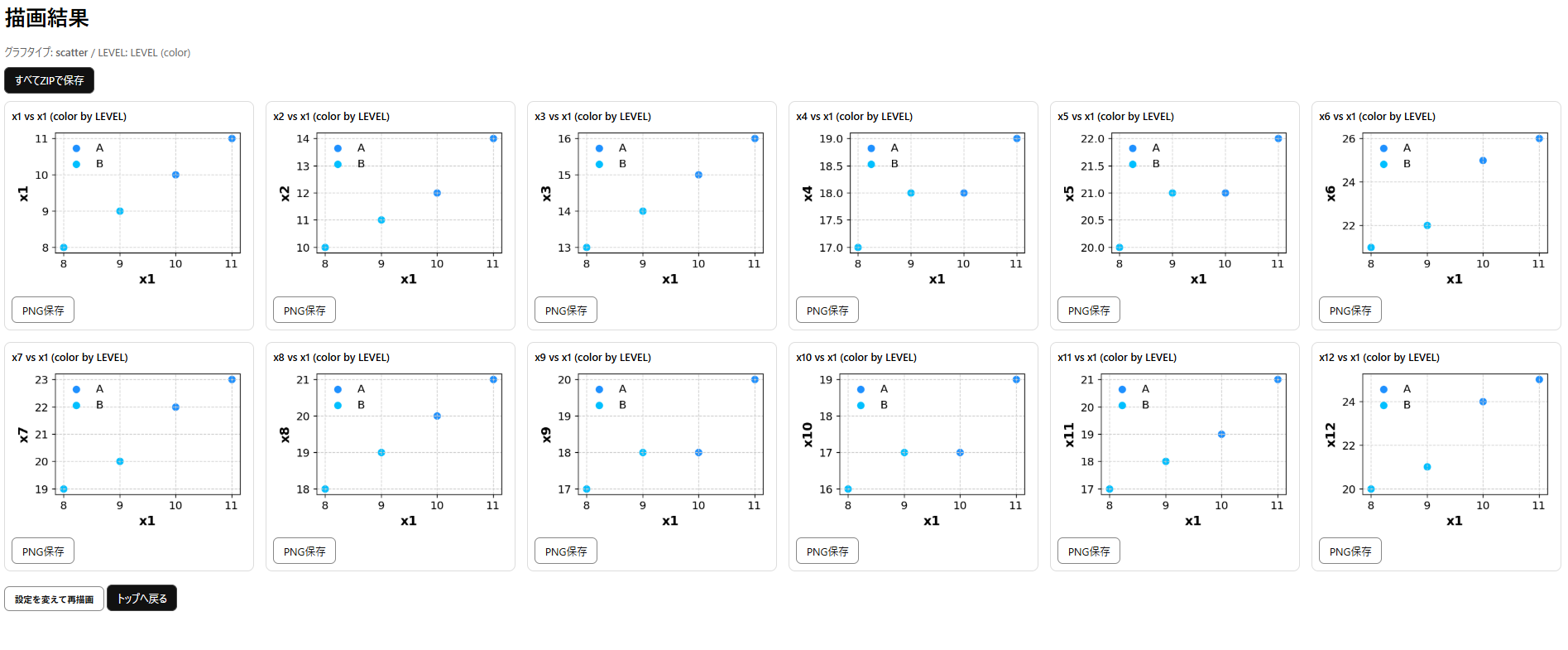
In Excel, producing a set of polished charts from 20 columns may require repeating axis, color, legend, and layout adjustments. Sakura Chart applies shared choices automatically, making it easier to produce a matching set quickly.
Practical Division of Labor
- Excel: best when you need calculations, cell-level editing, pivoting, detailed formatting, or highly customized charts.
- Sakura Chart: best when you need many standard charts quickly and want their format to stay consistent.
Neither tool replaces the other. A practical workflow is to clean and calculate data in Excel, then paste the finished table into Sakura Chart when repetitive chart production is the time-consuming part.